Kansas City homeowners are discovering what the rest of the country already knows: a smart home isn’t just convenient, it’s practical. From cutting energy bills during Missouri’s sweltering summers to keeping an eye on your property while you’re at work, home automation solves real problems. But diving into smart home tech can feel overwhelming, especially when you’re trying to figure out which systems work best in Kansas City’s climate and whether you need professional help or can tackle it yourself. This guide cuts through the noise and gives you what you need to make smart decisions about automating your home.
Table of Contents
ToggleKey Takeaways
- Smart thermostats like Ecobee and Nest can reduce Kansas City heating and cooling costs by 10-23% annually by learning your schedule and adjusting temperatures when you’re away.
- Home automation in Kansas City addresses three main needs: energy savings during extreme temperature swings, enhanced security during high-crime seasons, and daily convenience through voice control and remote access.
- Video doorbells and smart locks deter package theft and provide keyless entry, but mount cameras on north- or east-facing walls to avoid afternoon sun washing out footage in Kansas City summers.
- Start with DIY installation if you’re adding standalone devices under $1,500 total; hire a professional installer for whole-home systems, new wiring, or integrated setups that require CEDIA-certified expertise.
- Kansas City’s local utility provider Evergy offers rebates for energy-efficient smart devices, providing free money for upgrades you were already planning to make.
- Homes built before 2000 often lack a C-wire for thermostats, but HVAC technicians can add an adapter for $100-150 to ensure stable power and maintain device connectivity.
Why Kansas City Homeowners Are Embracing Smart Home Technology
The Midwest isn’t exactly known for being tech-forward, but Kansas City residents are changing that narrative. Local homeowners are installing smart systems for three main reasons: energy savings, security, and convenience.
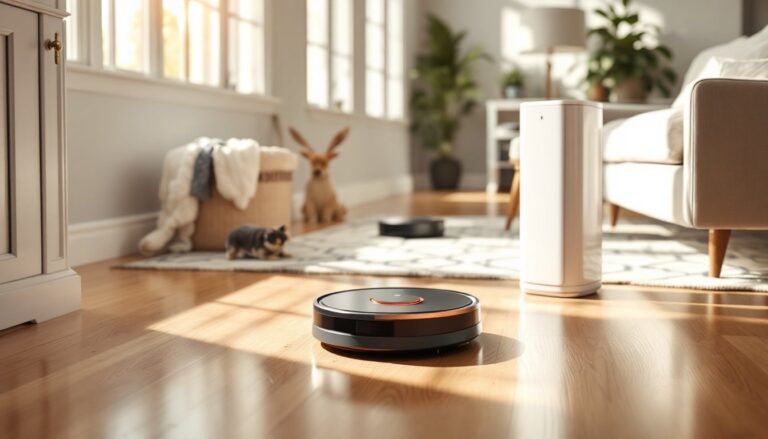
Energy efficiency is the big one. Kansas City’s temperature swings, from 95°F summer highs to sub-20°F winter lows, mean HVAC systems work overtime. Smart thermostats like the Ecobee or Nest can cut heating and cooling costs by 10-23% annually by learning your schedule and adjusting temperatures when you’re away. That’s real money back in your pocket, not vague “eco-friendly” marketing.
Security is the second driver. Break-ins spike during the holiday season, and many Kansas City neighborhoods see property crime fluctuate. Smart doorbells, motion-activated cameras, and automated lighting create the appearance of an occupied home even when you’re visiting family in Overland Park or catching a Chiefs game downtown.
Convenience rounds out the trio. Voice-controlled lights, automated garage doors, and remote lock access mean fewer trips back home because you forgot to lock the door. For families juggling kids, work, and everything else, that peace of mind matters.
Local utility providers like Evergy also offer rebates for installing energy-efficient smart devices, which sweetens the deal. Check their current programs before you buy, it’s free money for upgrades you were planning anyway.
Popular Home Automation Systems Available in Kansas City
Kansas City has access to all the major smart home platforms, and most systems work fine here even though the region’s weather extremes. The key is choosing devices that integrate well with each other and match your technical comfort level.
Smart Security and Monitoring Solutions
Security systems are where most Kansas City homeowners start. Ring and SimpliSafe dominate because they’re DIY-friendly and don’t require contracts. Ring pairs well with Alexa, while SimpliSafe offers better cellular backup if your internet goes down during a storm, a real consideration when thunderstorms knock out power in the metro area.
For more robust setups, professional security systems often include glass-break sensors, water leak detectors (crucial in Kansas City’s older homes with basement flooding issues), and 24/7 monitoring. Companies like ADT and Vivint operate locally, though their contracts and monthly fees run higher than DIY options.
Video doorbells are non-negotiable for most homeowners. They deter package thieves and let you screen visitors without opening the door. Mount them on a north- or east-facing wall if possible, Kansas City’s afternoon sun can wash out west-facing camera footage in summer.
Smart locks like the Schlage Encode or Yale Assure give you keyless entry and remote access. They’re especially useful if you rent out a room or have contractors coming for repairs. Just make sure your front door is solid-core and the deadbolt is properly aligned: smart locks won’t fix a door that sticks or sags.
Climate Control and Energy Management
Kansas City’s climate makes smart thermostats a must-have, not a luxury. Ecobee and Nest Learning Thermostat are the top picks. Ecobee includes remote sensors, which are helpful in multi-story homes where upstairs bedrooms roast in summer while the main floor stays cool. Nest learns your habits faster but costs more upfront.
Installation is straightforward if you have a C-wire (common wire) for continuous power. Homes built before 2000 often lack one, but you can add a C-wire adapter or hire an HVAC tech for $100-150. Don’t skip this, thermostats without stable power drain batteries fast and lose connectivity.
Smart plugs and switches extend automation to lamps, fans, and window units. TP-Link Kasa and Wemo offer reliable options under $25 per device. Use them to schedule window fans during Kansas City’s mild spring and fall evenings when you can skip the AC entirely.
Many systems now integrate with smart lighting controls to create scenes that adjust both temperature and ambiance based on time of day. Combine smart bulbs with motion sensors in hallways and basements to cut energy waste without thinking about it.
Energy monitors like Sense or Emporia Vue clip onto your breaker panel and show real-time electricity usage. They help identify energy hogs, like that old fridge in the garage, and give you data to decide which appliances to upgrade first.
Finding the Right Home Automation Installer in Kansas City
Not every project is DIY-friendly. Whole-home automation, structured wiring, or integrating with existing security systems often requires a pro. Kansas City has plenty of home automation installers, but quality varies.
Start by asking for CEDIA certification (Custom Electronic Design & Installation Association). It’s not required, but certified installers have training in system design, networking, and troubleshooting. It matters when you’re running Cat6 cable through walls or configuring a Control4 system.
Get itemized quotes from at least three installers. Good ones will visit your home, ask about your routines, and recommend systems that fit your needs, not just the most expensive gear. Be wary of anyone pushing proprietary systems that lock you into their service for future upgrades.
Check references and recent work. Kansas City’s smart home scene is tight-knit, and word travels fast. Ask neighbors or check local Facebook groups like “Kansas City Home Improvement” for recommendations. Look for installers who’ve worked on homes similar to yours, a 1920s bungalow in Westport has different wiring challenges than a new build in Lee’s Summit.
Discuss warranty and support upfront. Who handles troubleshooting if your hub stops talking to your lights? What’s covered for the first year? Reliable installation services include post-install support and training so you’re not fumbling with apps at midnight.
For integrated systems like Crestron or Savant, you’ll need a pro, these aren’t consumer-grade products. Expect to pay $5,000-15,000+ depending on how many zones and devices you’re controlling. That’s overkill for most Kansas City homes, but if you’re doing a major renovation or custom build, it’s worth considering.
DIY vs. Professional Home Automation Installation: What Kansas City Homeowners Should Know
The line between DIY and professional work isn’t always obvious. Here’s how to decide.
Go DIY if:
- You’re installing standalone devices (smart bulbs, plugs, thermostats with existing C-wires, or battery-powered locks).
- Your home has straightforward wiring and a strong Wi-Fi signal in every room you’re automating.
- You’re comfortable with smartphone apps and basic troubleshooting.
- Your budget is under $1,500 total.
Most smart home products from brands like Philips Hue, TP-Link, and Ring are designed for DIY installation. Follow the manuals, and you’ll have a working system in a weekend. Just plan your hub placement first, central locations work best to avoid Wi-Fi dead zones in basements or garages.
Hire a pro if:
- You’re running new wiring through walls or ceilings for hardwired devices.
- You want whole-home audio, integrated security with multiple zones, or automated window treatments.
- You’re combining systems from different manufacturers and need them to work seamlessly.
- You’re doing new construction or a gut renovation where pre-wiring makes sense.
Professional smart home installation costs vary. Expect $200-500 for a single complex device (like a wired security panel or multi-zone thermostat). Whole-home systems start around $3,000 and climb fast depending on device count and integration complexity.
Know your limits. Installing a smart doorbell? DIY. Replacing your electrical panel to support a whole-home energy monitor? Call a licensed electrician. Kansas City building codes (based on the International Residential Code) require permits for electrical work beyond basic device swaps. Don’t skip permits, it’s not worth the liability if something goes wrong or you sell the house later.
Tool requirements matter too. Most DIY smart home work needs basic tools: a drill/driver, wire strippers, a voltage tester, and a stud finder. If the project calls for fishing wire through walls, cutting drywall, or working inside your breaker panel, consider whether you have the tools and skills, or whether paying a pro is cheaper than buying tools you’ll use once.
Expert-tested reviews from sources like Tom’s Guide can help identify which devices offer the best balance of features and ease of installation for homeowners tackling projects themselves.
Conclusion
Home automation in Kansas City isn’t about chasing trends, it’s about solving real problems like high energy bills, security concerns, and daily inconveniences. Start with the basics: a smart thermostat and a video doorbell. Add devices as you see gaps in your routine. Whether you’re using DIY automation strategies or working with a local installer, the key is choosing systems that fit your home, your budget, and your technical comfort level. Don’t overthink it, just start with one room and build from there.